Revisit a stop on your trip
A small town in your photos. A mountain outside the window. A street corner you passed. Even if the name escapes you, start again with a photo.

Give your photo to WherePhoto.
Follow clues in buildings, mountains and street corners,
and rediscover the place in the picture.
iOS and Android versions are coming soon
More than a pin. See the reasons behind the location.
Explore the clues in the photo ↗From old memories in your camera roll to inspiration for your next trip. Let a photo be the start of your search.
A small town in your photos. A mountain outside the window. A street corner you passed. Even if the name escapes you, start again with a photo.
Found a view you want to visit, but no location? Use a photo you have permission to use to look for your next stop.
A sign, a building, a mountain ridge. See how these details come together to support a location estimate.
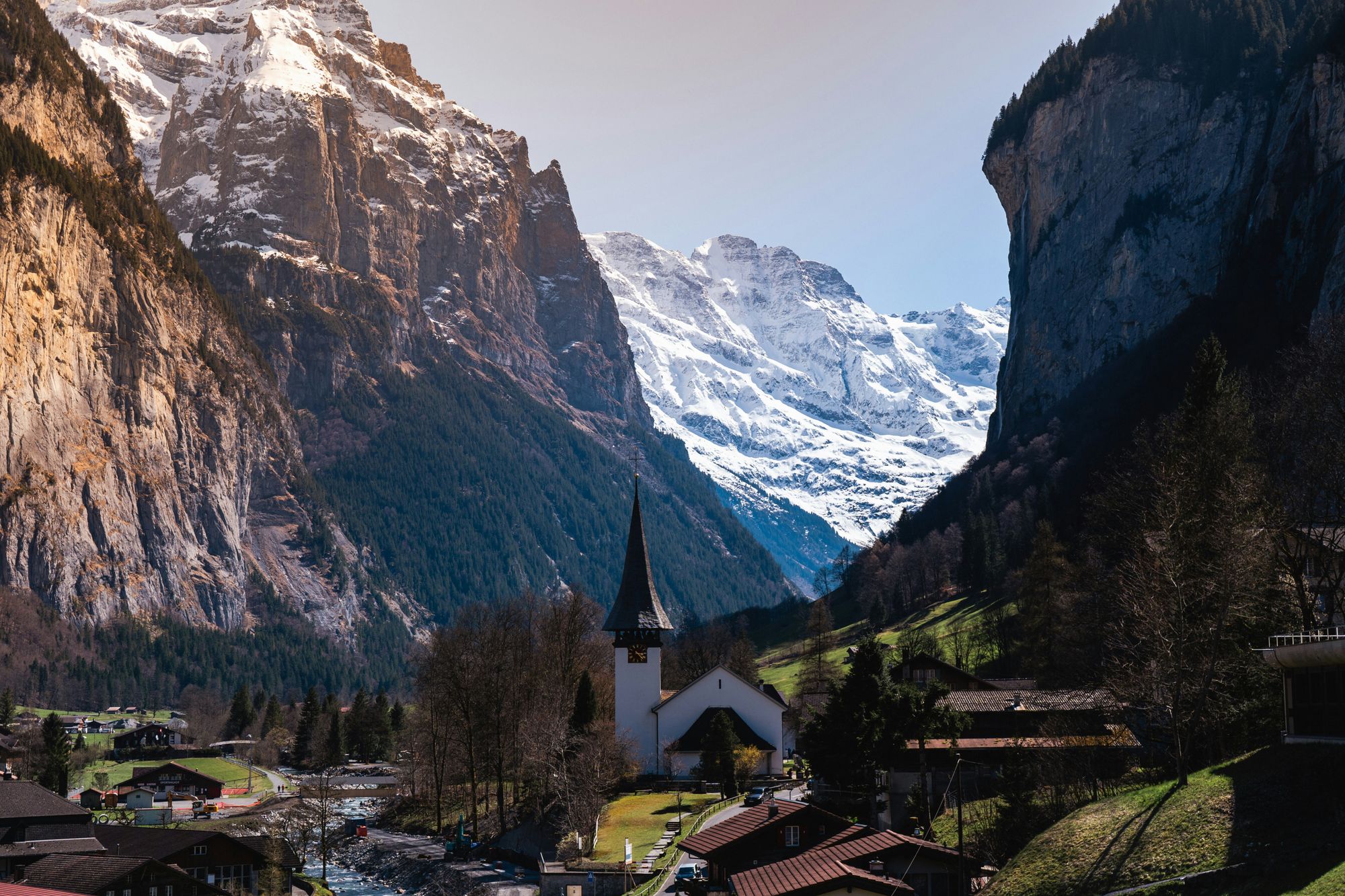
This photograph shows Lauterbrunnen Valley in Switzerland, as identified by its photo source. The snowy mountains, church and village illustrate visual clues you can look for when exploring where a photo was taken.
You can leave after submitting.
Come back later to view the analysis in your history.
Select a photo with your device’s photo picker. Add a rough region, date or other details if you know them.
WherePhoto combines AI image analysis, reverse image search and public webpages to investigate possible shooting locations.
Read the conclusion, evidence and map in your history. When valid coordinates are available, you can share a map link too.
Yes. WherePhoto considers buildings, text, terrain and other visual clues alongside public sources, rather than relying solely on GPS data. Clear photos with distinctive features are more useful.
There is no guarantee. A result may identify a venue or a reference area, or the photo may remain unlocated. We show confidence, evidence and uncertainties, without treating a reference point as an exact seat or shooting position.
Your selected photo and the clues you provide are uploaded for analysis. The investigation may involve third-party AI, reverse image search and web search services. Do not submit photos you have no right to use or that contain sensitive private information. For details, read our Privacy Policy.
iOS and Android versions are in preparation. Once released, the App Store and Google Play buttons on this page will link directly to the respective stores.
Let WherePhoto help you find it.
Coming Soon · Stay tuned